
Installing Plasmo Voice Chat
Get voice chat running with this quick guide!
🧰 Pre-Game Setup
- Figure out what launcher you're using. While we recommend using a custom launcher like Prism Launcher, Modrinth Launcher, or MultiMC, this tutorial uses the default vanilla launcher.
-
Install the Fabric Installer and run it.

-
A small window will open. Make sure you select Minecraft
version 26.2 and the latest loader version.
The folder path should default to your
.minecraftfolder.
🔍 Tip: Take note of the Minecraft folder it shows. You can open it in File Explorer for the next step.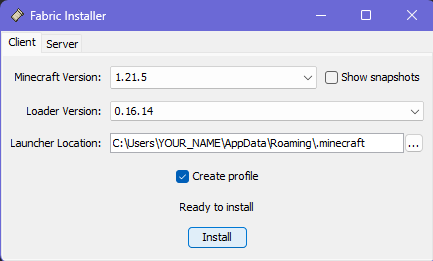
-
Press Install.
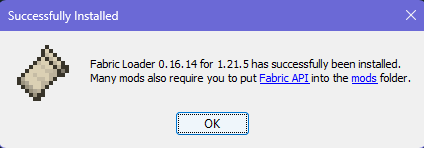
-
Once done, open your Minecraft folder and create a new
folder called
modsif it doesn't exist.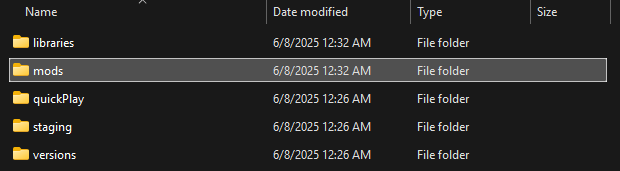
-
Download and place the following mods into the
modsfolder: ✅ Make sure to grab the versions for Minecraft 26.2. -
That’s it! The mod is installed.
If you have any issues make a #tech-help ticket in our Discord
🎮 In-Game Setup
- Open your launcher and select the fabric 26.2 instance it created for you.
- Click Play and launch the game.
-
Once in-game, press
Vto open the Plasmo Voice Chat config menu.
Need help? Ask in our Discord anytime.